Obtain your Melissa API key
To use Melissa APIs with Sharp XRM, contact Melissa's sales team. Once you have your key from Melissa, continue with the next step.
The following Melissa APIs are integrated with Dataverse:
- Express Entry
- Global Address
- Personator
Set up the Melissa API Configuration
- In the Address Validation for Power Apps app, go to Settings > API Configuration.
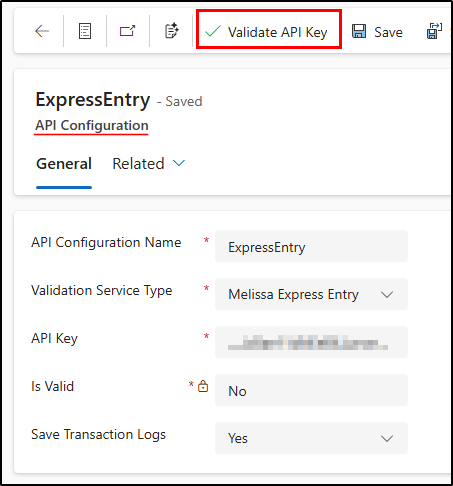
- Create a new record and enter the information below.
| Field | Description and expected content |
|---|---|
| API Configuration Name | A unique name for the configuration. You use this name when you configure verification with Express Entry, Personator or Global. |
| Validation Service Type | The Melissa API you want to use: Melissa Express Entry, Melissa Global Address Verification or Melissa Personator. |
| Service License Key | Your Melissa API key, provided by Melissa. |
| Is Valid | After you save the record, select Validate API Key in the command bar to check that the key works. If it is valid, the value is set to Yes; if not, an error message is displayed and the value stays No. |
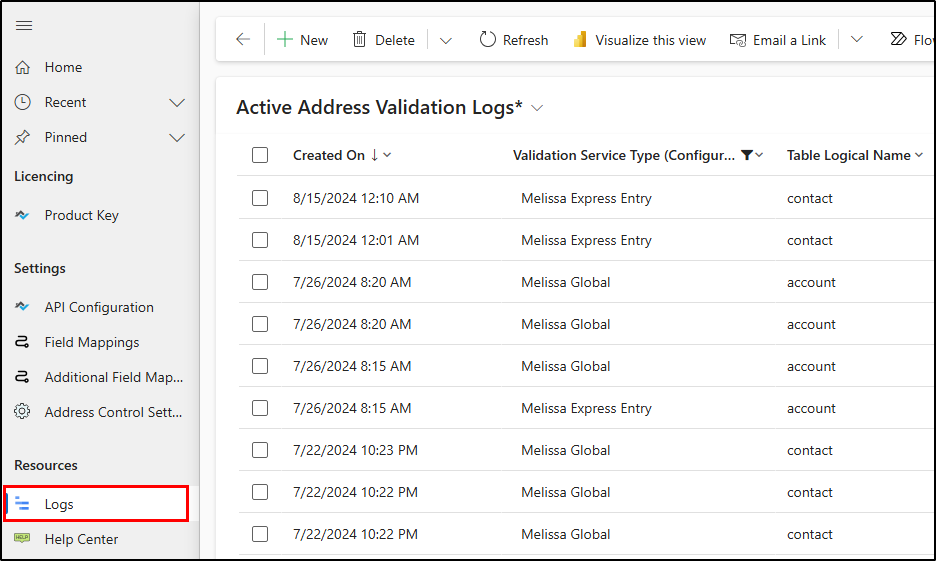
| Save Transaction Logs | Defaults to No. When set to Yes, the details of every call to a Melissa API are logged in Logs, under the Resources area. |