Download the Address Validation for Dataverse solution zip file for Dynamics 365.
Unlock the solution .zip file by
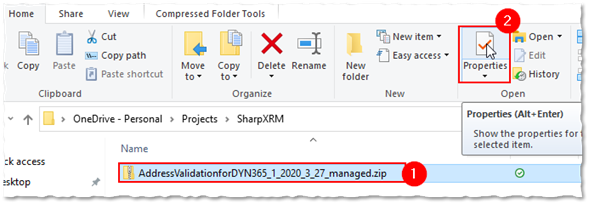
1. Selecting the file
2. Clicking on Properties in the ribbon
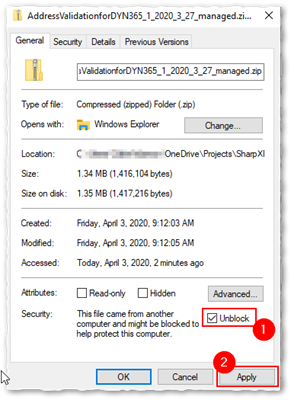
3. Checking the Unblock box and the Apply button
Import the Solution into your Microsoft Dataverse (Dynamics CRM/365 or Power Apps) organization by following these steps:
Navigate to https://make.powerapps.com/
Select your target environment
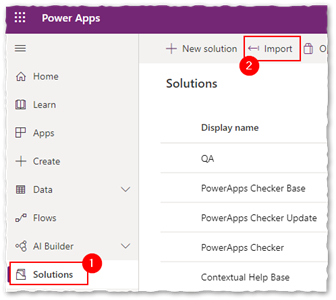
Navigate to Solutions
Click on “Import”
Click the “Browse” button and select the .zip solution file downloaded in Step 1
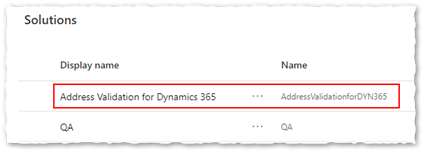
Follow the instructions on the screen to import to Solution into your Microsoft Dynamics 365/Power Apps organization. After you get the successful import confirmation, check that the solution has been added to your list of Solutions in the PowerApps Maker Portal list:
Download and Install Address Validation for Dataverse
Getting StartedWas this article helpful?