The SharpXRM Portal is your self-service space to view your subscription, retrieve your product (license) keys, manage the people in your company who can access the portal, and submit and track support cases.
1. Sign in to the portal
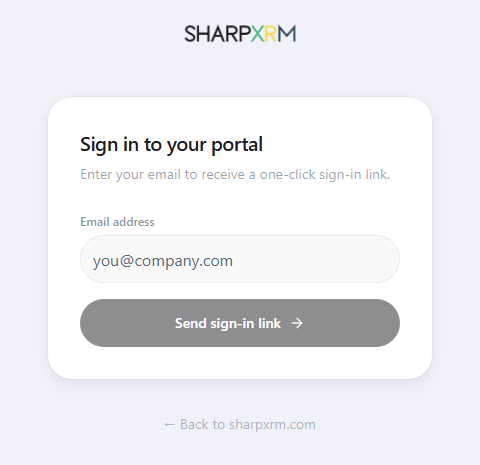
The portal uses passwordless sign-in: there is no account to create and no password to remember. You only need an email address that is registered with SharpXRM for your company.
Open your web browser and go to https://support.sharpxrm.com/portal.
Enter your email address and click Send sign-in link.
Open the email you receive from SharpXRM and click the sign-in link. You are signed in and taken to your portal Dashboard.
Tips:
Use the email address SharpXRM has on file for you: the email used to register your subscription, or the one your company portal administrator added for you (see Users below).
If the email does not arrive within a few minutes, check your junk/spam folder, then request a new link from the sign-in page.
If your email is not recognized, ask your company portal administrator to add you or contact support@sharpxrm.com.
2. Navigate the portal
Once signed in, use the left menu to move between Dashboard, Profile, Users, and Cases. Your signed-in email and the Sign out button are shown at the top right.
Dashboard: subscription and product keys
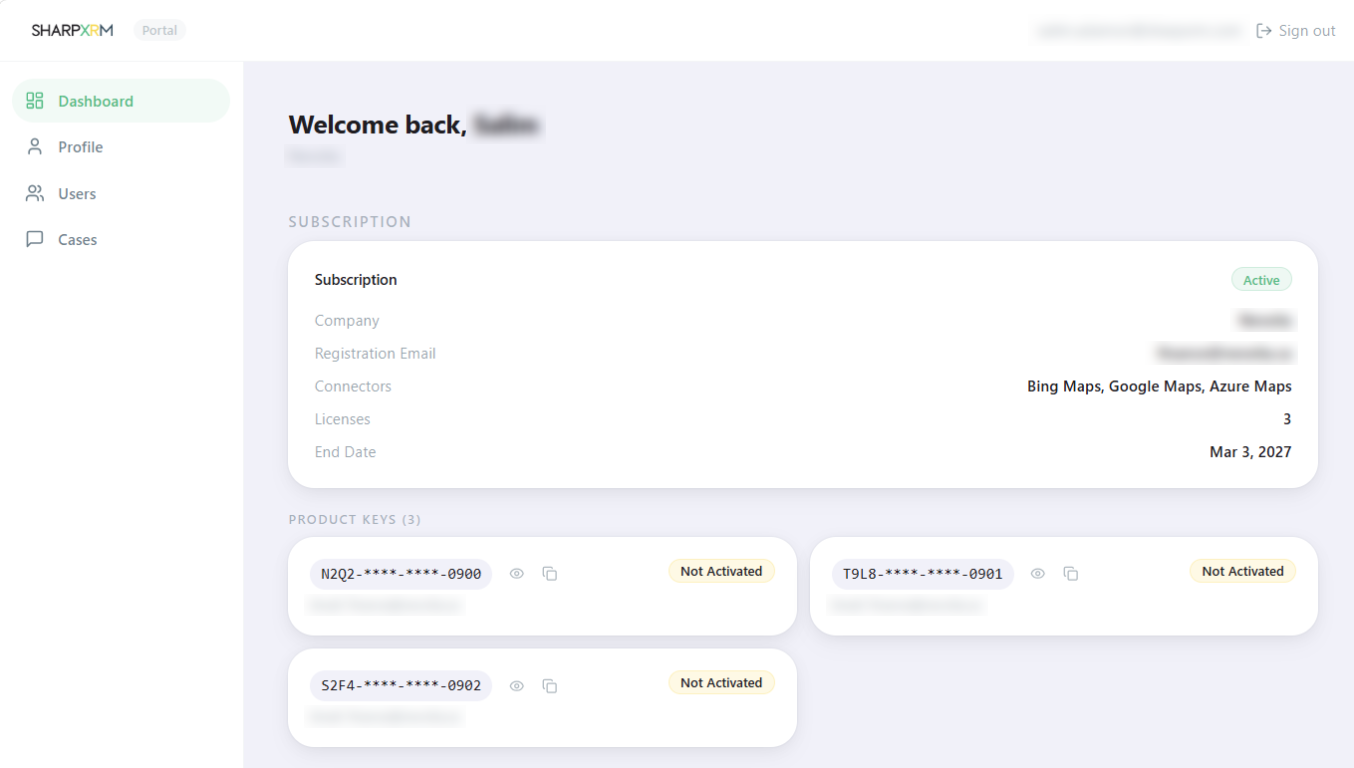
The Dashboard is the first page you see after signing in. It summarizes your company's subscription:
Status – for example, Active.
Company and Registration Email – the company and email address the subscription is registered to.
Connectors – the address providers included in your subscription (for example, Bing Maps, Google Maps, Azure Maps).
Licenses – the number of licenses purchased.
End Date – when the subscription expires and must be renewed.
The Product Keys section lists one card per license key:
Keys are partially masked for security. Click the eye icon to reveal the full key.
Click the copy icon to copy the key to your clipboard, then paste it in the Address Validation configuration in Dynamics 365 / Dataverse.
The badge shows whether the key is Activated or Not Activated in an environment.
Profile
Open Profile to view and update your own contact information. Administrators can also update the company profile.
Users: manage who can access the portal
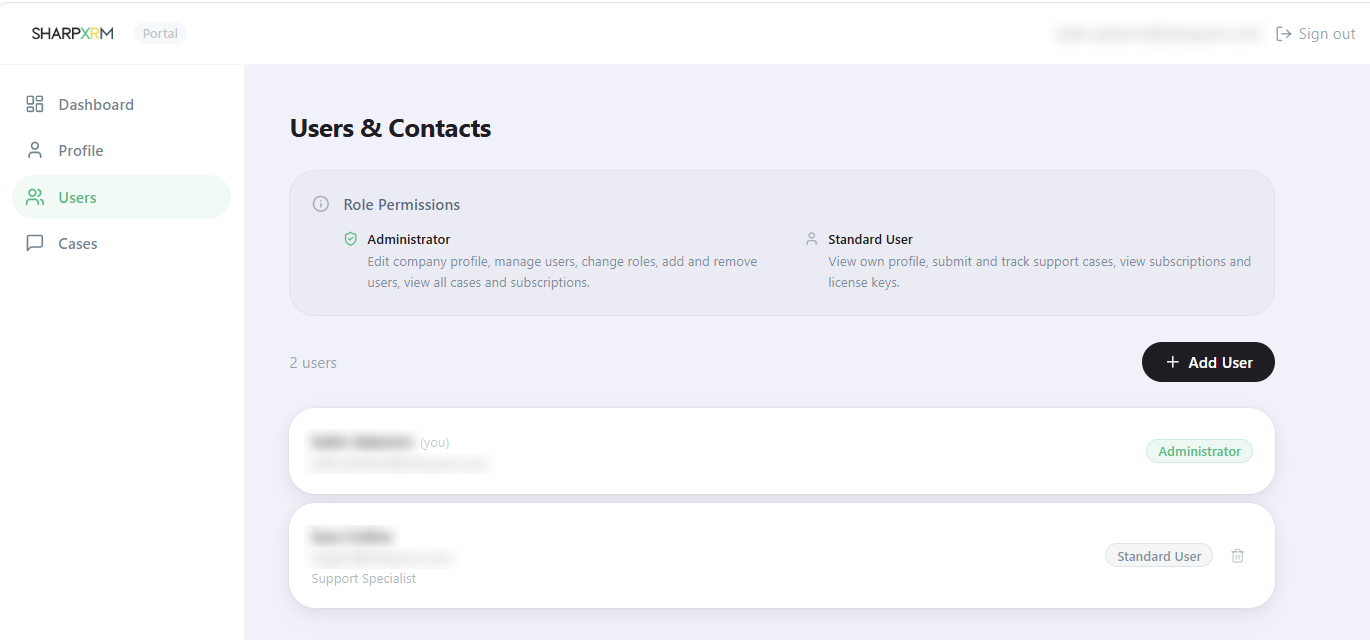
The Users & Contacts page lists everyone in your company who has access to the portal, with their email address, job title, and role. Two roles are available:
Administrator – can edit the company profile, manage users, change roles, add and remove users, and view all cases and subscriptions.
Standard User – can view their own profile, submit and track support cases, and view subscriptions and license keys.
Administrators can:
Click Add User to give a colleague access. The new user can then sign in at https://support.sharpxrm.com/portal with the email address you entered.
Change a user's role.
Click the trash icon on a user card to remove that user's access.
Cases: submit and track support requests
Use Cases to contact SharpXRM support and follow up on your requests.
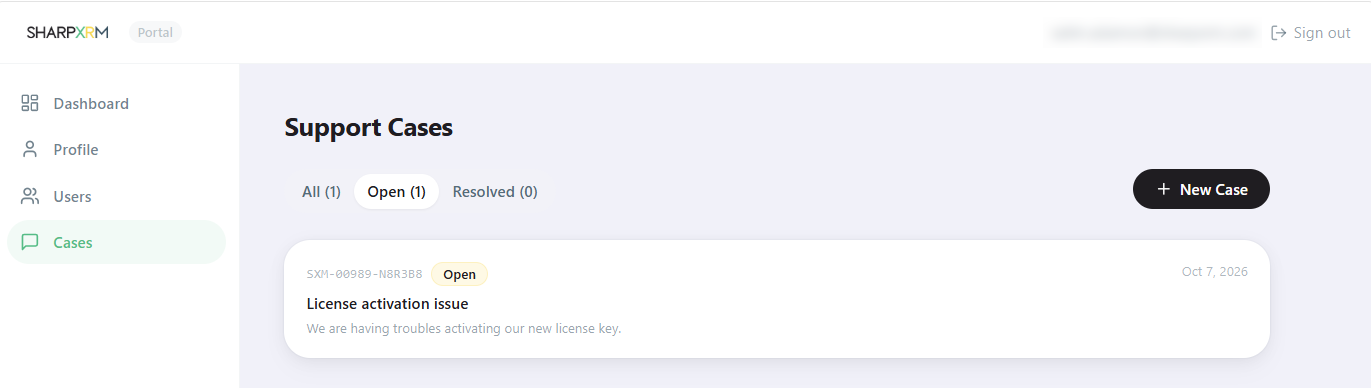
Click New Case, enter a short title and a clear description of the issue (include the environment, the address provider, and any error message), then submit.
Each case shows its reference number (for example, SXM-00000-XXXXXX), status, title, description, and creation date. Mention the reference number when you contact support about the case.
Use the All, Open, and Resolved tabs to filter your cases. Click a case to see its details.
Sign out
Click Sign out at the top right when you are finished, especially on a shared computer.