
Important information about this issue
This issue affects customers with a new installation of the Address Validation for Dynamics 365/Power Apps on version 2.5.0.15 or higher.
If you upgraded from a previous version to 2.5.0.15, you are not impacted by this issue.
A workaround has been identified and is documented in this article.
We are working with Microsoft on a permanent resolution that will be introduced in version 2.5.0.16 and higher. We thank you for your patience.
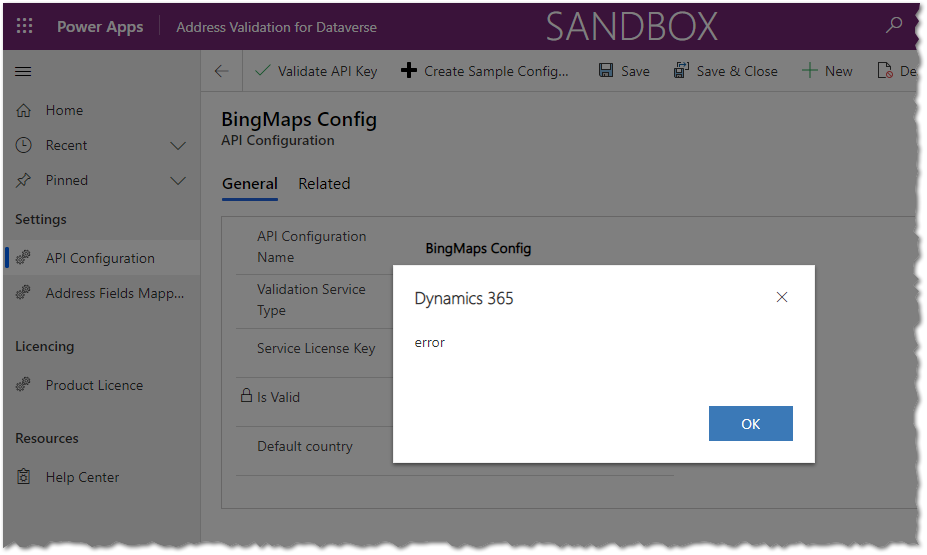
Issue Description
Status
Workaround
Navigate to the Power Apps Maker Portal and select the environment where the Address Validation for Dataverse is installed.
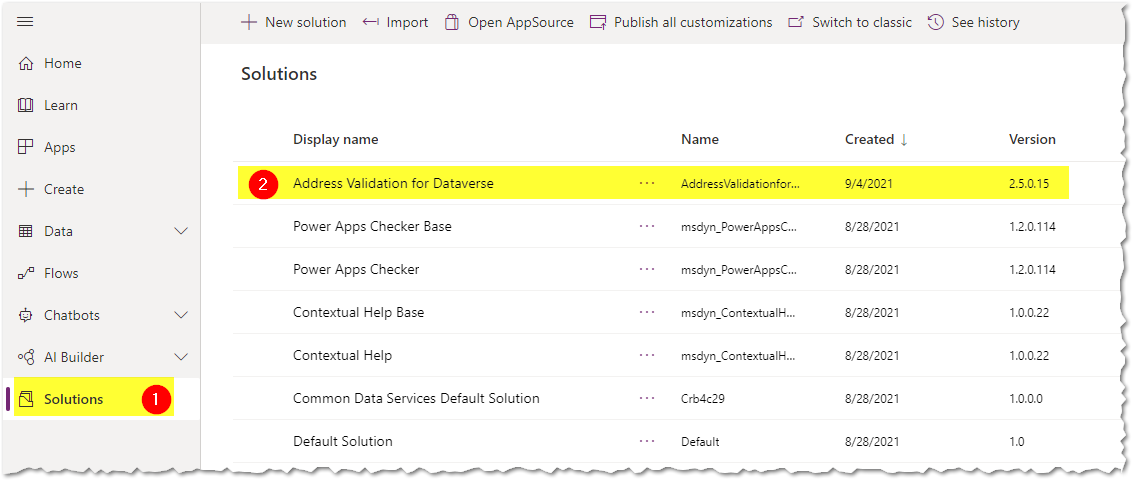
Click on "Solutions" and open the "Address Validation for Dataverse" solution
Filter the components and look for "Process" only
Look for the process named "Configuration - Validate API Key"
Click the "... " sign and click "Turn on"
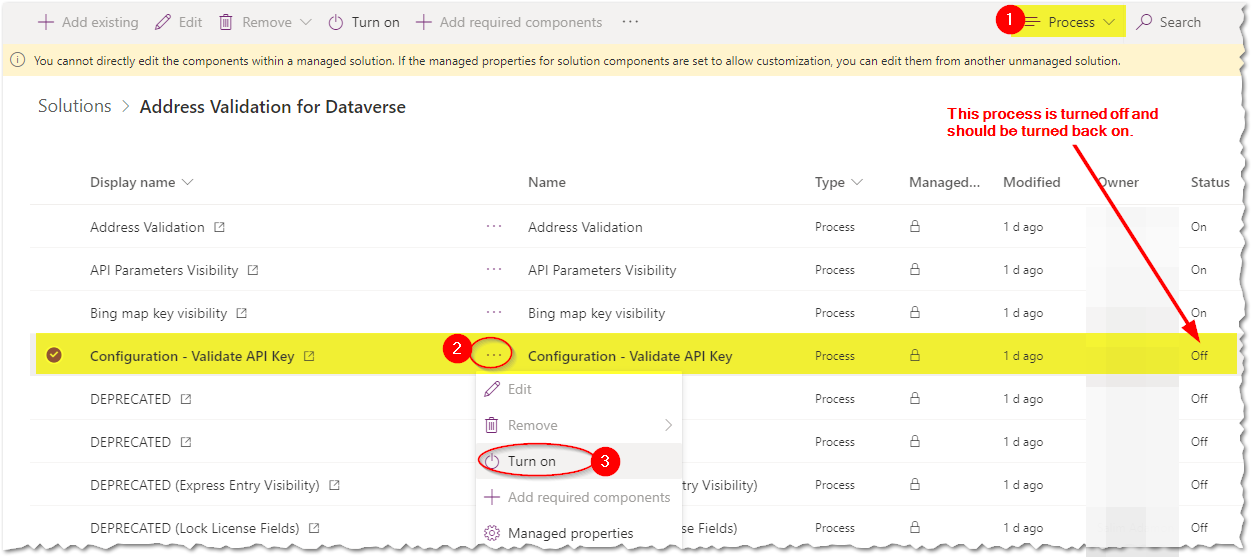
Verify that the process is now turned on.