What this section covers
How to setup Microsoft Dataverse Workflows to perform Address Verification. These steps must be done by an administrator or a super user with system configuration privileges.
-
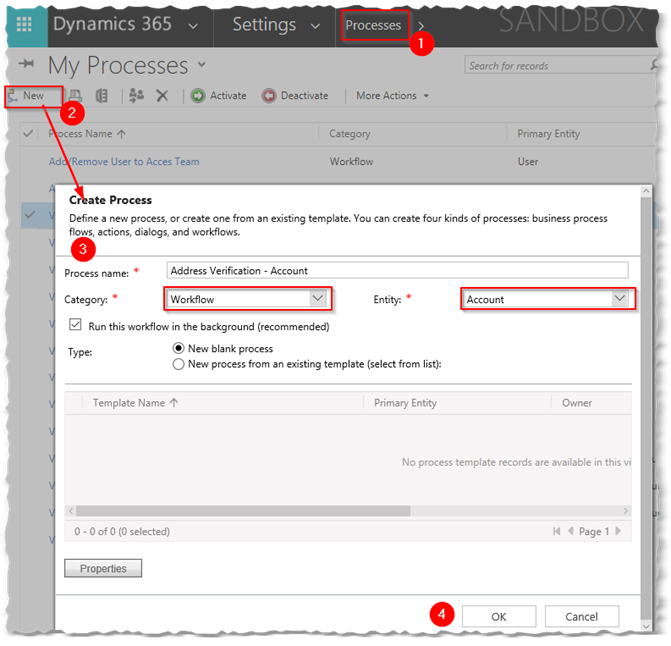
Navigate to Settings -> Processes and create a new Process of Category Workflow. For the Entity, select the table where your address fields to validate are located (in our case, we are working with the Account).
-
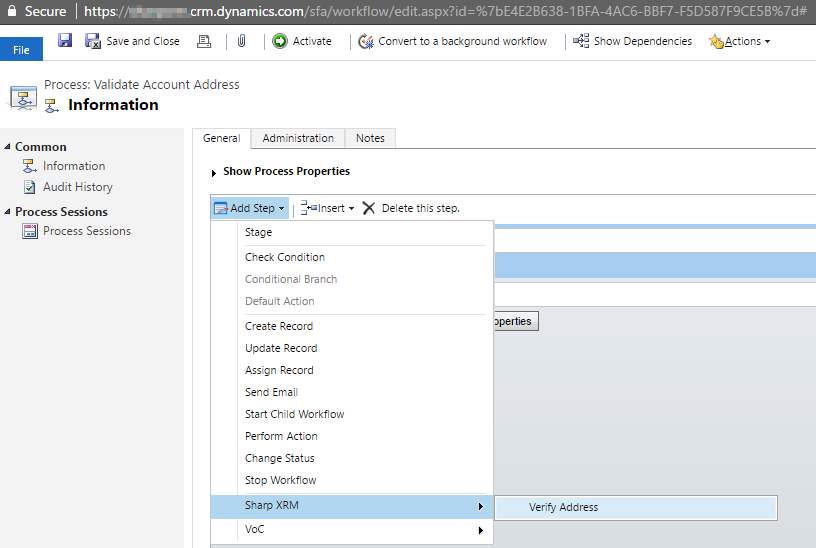
After you have created the Workflow, click on “Add Step” and in the Sharp XRM menu, you will see a custom step named “Verify Address”
-
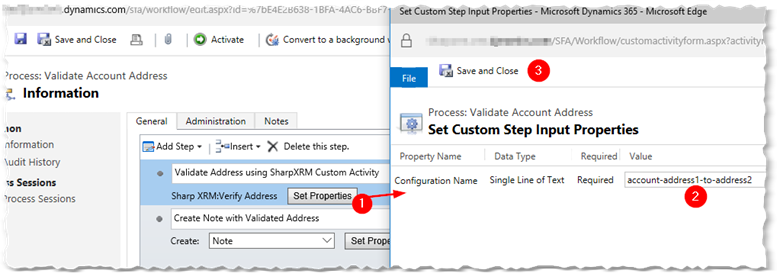
Type a description for the Step (e.g. “Address Validation using SharpXRM Custom Activity”). Click on Set Properties and in the Value field enter the name of the address field configuration record (previously created) as a required input parameter for the custom action.
-
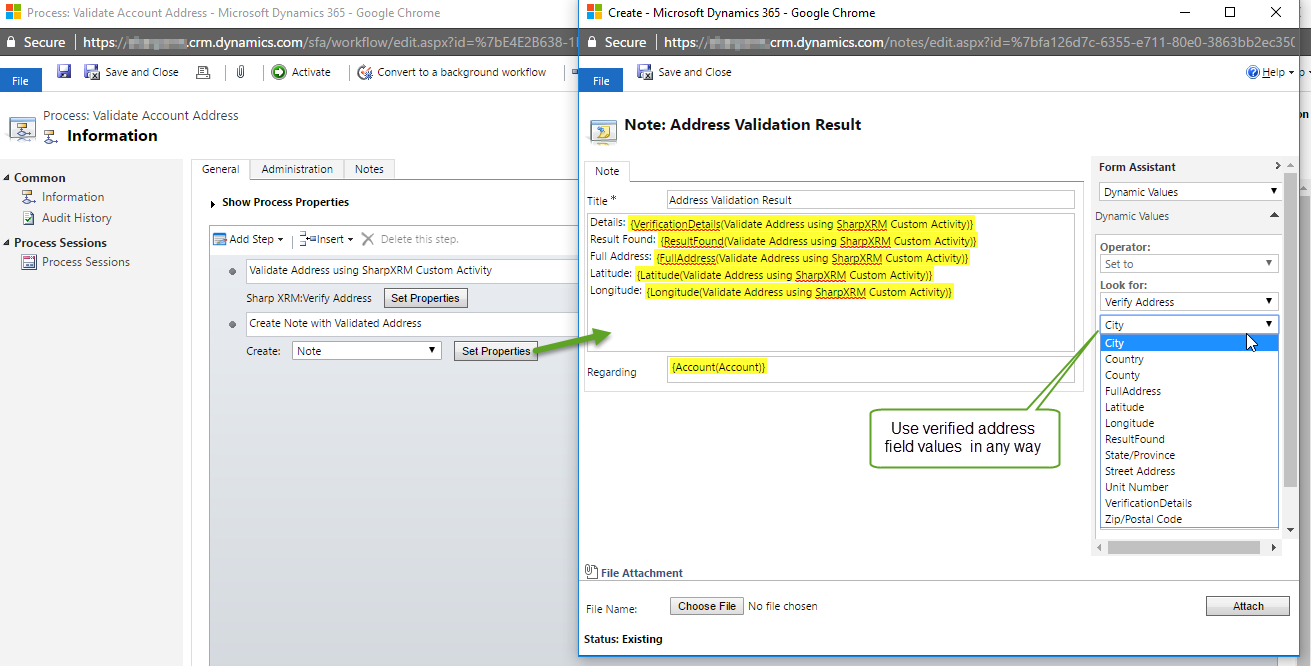
The custom activity does not write the verified address to the destination fields. It returns the verified address component as output parameters giving administrators the ability to configure the application behavior in a way that meet their needs. The example below shows how the verified address fields are written a note.